Use the AI assistant
Ask questions in plain English to look up students, build lists, and draft contact logs.
If your program has the assistant turned on, a round button appears in the bottom right corner of every advisor and admin page. Open it and ask in plain English. The assistant reads your program's own records to answer, so what it tells you is what the database says.
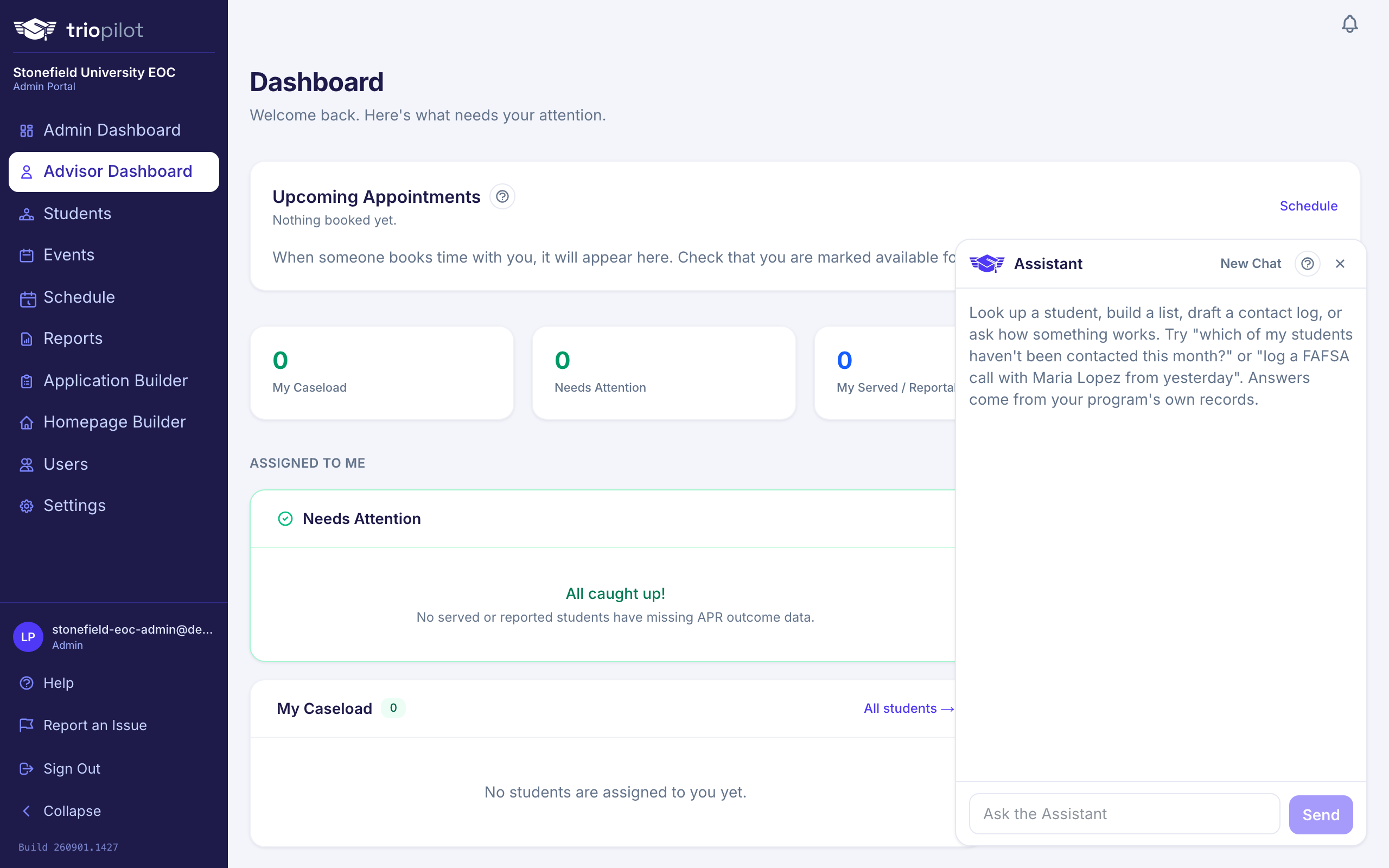
What it can do
- Look up students. Ask "find Maria Lopez," "which seniors are still pending," or "who was added this week?" and it searches the current program year roster. Ask "was Maria Lopez ever one of our students?" and it searches every program year at once, telling you which years each match was enrolled in. Ask about "my students" and it narrows to just your own caseload. Results are links, so one click opens the profile.
- Answer questions about a specific field. Ask "who has FAFSA completed but hasn't been contacted in 30 days?" and it checks your program's own profile and APR outcome fields. Any count it gives from a question like this is an informal, quick look tally, never the official federal APR number; the assistant labels it that way and points you to the APR report for the number that counts.
- Build lists. Ask for "all served students" and it hands you an Open in Roster link with the live count. The roster page has the CSV export if you need a spreadsheet.
- Open one student's full picture. Ask about a student by name, or say "this student" while you are on their profile, and it shows their current status and APR fields, what is still missing for reporting, their recent documents, and their latest contacts with the note text. Ask for more history and it can pull up to fifty past contacts for that student.
- Draft contact logs, even for a group. Say "log a FAFSA call with Maria Lopez from yesterday," or name several students at once and it prepares one draft covering all of them, using your program's own contact types and modalities. Nothing is saved until you review the draft and choose Log Contact. The saved contact is recorded as your action, exactly like one you typed into the form.
- Answer how do I questions. Ask "how do I log a contact?" or "how do I run the APR?" and it answers from TRIOPilot's own help articles, the same ones in the Help Center.
- Take you places. It can link you to the APR report, the Needs Attention report, the Schedule, Events, settings pages, and student profiles.
What it never does
- It never saves, changes, or deletes anything on its own. The only way it touches a record is the contact draft you confirm.
- It never calculates the official APR numbers. Report math for filing always comes from the reporting pages; anything the assistant tallies for you along the way is an informal count, clearly labeled, never a substitute for the report.
- It only sees what you can see. Your role and program permissions apply to every question, so it cannot show you anything you could not open yourself.
Good to know
- Conversations are not saved. Closing the tab or signing out clears the chat.
- Your questions and the records the assistant looks up are processed by an AI provider to generate the answer. They are never used to train AI models, and the provider deletes them automatically within 30 days.
- Each program has a monthly limit on assistant use. If you hit it, the assistant says so and your administrator can review the limit.
- If an answer looks off, open the linked record. The record is always the truth, and the assistant links its sources for exactly that reason.
For admins
To turn the assistant on or off, go to Settings, open the Features tab, find the AI Assistant card, and check Enable the AI Assistant. It is off until you enable it. The same card shows how many requests your program has used this month against its limit; email hello@triopilot.com if you need the limit changed.